
Are you struggling to download WhatsApp, Instagram, or the X app on your iPhone/iPad from the App Store? Many users do often due to region limits, app removals, or App Store errors. But the good thing is that there are several ways to download apps without App Store.
These methods range from simple tools to more advanced setups, giving users different levels of control and flexibility. This guide explains them in detail, outlining the advantages and limitations of each method, along with step-by-step instructions!
Part 1. How I Tested Ways to Download iPhone Apps Without App Store on iPhone
Before listing the methods, I tested each solution in real conditions to understand which ones actually work in 2026. Downloading apps without the App Store is not always straightforward, and some methods work only under specific system versions or device settings.
To make this guide more practical and trustworthy, I personally tested all 6 approaches on multiple iPhone and iPad devices. The goal was to compare real performance instead of relying on theoretical descriptions or marketing claims.
Test Devices and System Versions
I used the following devices during testing:
- iPhone 14 running iOS 16
- iPhone 17 Pro Max running iOS 26
- iPad Air 5 running iPadOS 17
These devices were selected to cover both newer and slightly older iOS versions to ensure the results are realistic for most users.
Testing Scenarios
Testing across different geographic regions (EU vs. Non-EU) to account for Apple's regulatory changes. Each method was tested under the same conditions to keep results consistent. I focused on real world use cases including:
- Installing apps without using the App Store (YouTube, TikTok, Instagram, Subway Surfers, PUBG MOBILE...)
- Sideloading third party applications
- Testing installation limits on non jailbroken devices
- Checking installation success on both iPhone and iPad
For jailbreak and developer based methods, I also tested system stability after installation to evaluate potential risks.
Evaluation Criteria
Instead of simply listing features, each method was evaluated based on clear performance factors:
- Installation success rate in real scenarios
- Ease of use and setup complexity
- Compatibility with the latest iOS and iPadOS versions
- Installation speed and stability
- Security risks and system impact
These criteria helped separate methods that are truly usable from those that are difficult or unreliable for most users.
Part 2. Quick Answer: How to Download Apps Without the App Store?
Yes, you can download apps without the App Store with the following methods:
- Tenorshare iCareFone: The easiest, AI-powered one-click method. It works for region-locked apps, too.
- Sideloading via AltStore/Sideloadly: Installs IPA files directly onto your iPhone without jailbreak.
- Jailbreaking: The most powerful but riskiest route. It unlocks Cydia and full system access.
- Online app download services: Web-based platforms like AppDB that serve IPA files directly.
- File-sharing method: Transfer and install apps via cloud services or direct file managers.
- Developer Mode: Apple's own developer tools, including Xcode and TestFlight.
Part 3. Best 6 Ways to Download Apps Without App Store
Here we've explained each method we've shared above to download X without App Store or any other apps you desire:
1.Download Apps Without App Store via iCarefone
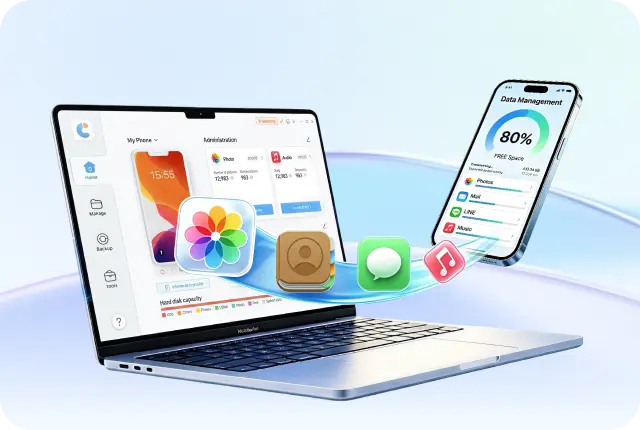
The easiest and safest method to download apps without the App Store on your iPhone is to employ an AI-driven iOS management tool, like Tenorshare iCareFone. It's a desktop software that lets you find, download, and install iOS apps and uses official app data from developers, so the downloads are safe and verified.
 Secure Download
Secure Download
Secure Download
The tool includes AI features that help locate apps, find region-locked versions, and detect apps not available in your local App Store. It installs everything with one click and avoids issues like certificate expiry or searching for IPA files on unsafe sites. Here are the benefits you'll get by using iCareFone:
- Uses AI to find and install apps, including region-locked ones not available in your country.
- Lets you install apps like WhatsApp, Instagram, or X in one click without the App Store.
- Allows downloading free apps and updating them outside the App Store.
- Can delete apps in bulk and detect hidden apps on your device.
- Supports Windows and Mac, and also manages files like photos, music, contacts, messages, and backups.
Here's how you can download apps without App Store with no jailbreak required:
- Download, install, and execute the Tenorshare iCareFone tool on your computer. Choose "More Tools."
- Then, click the "Apps" tab. Search for the app by name. Note that only free apps can be found and downloaded.
- Click the install button to download and install the app. After installation, the app will appear on your iPhone's home screen.


2.Sideload Apps on iPhone Without App Store
Sideloading means installing an iOS app (IPA file) directly on an iPhone without the App Store using tools like AltStore, Sideloadly, or SideStore. It allows apps to run by handling Apple's required app signing and supports modern iOS without jailbreak.
But free Apple IDs require apps to be re-signed every 7 days and limit you to 3 sideloaded apps. Most sideloading methods also need a computer to operate for re-signing, and unsafe IPA sources may contain malware. If you're fine with that, here's how to install apps on iPhone without App Store using AltStore:
- Download "AltServer" from "altstore.io" on your Mac or Windows PC. Install it (Mac: move to "Applications," Windows: run setup and install "iTunes" if needed).
- Open "AltServer" and choose "Install AltStore." Next, connect your iPhone with a USB cable and trust the computer.
- Choose the "AltServer" icon on your computer. Then, click "Install AltStore." Sign in with your Apple ID and passcode to install the AltStore on your iPhone.
- Afterward, activate "Developer Mode" in Settings → Privacy & Security and restart your device.
- On your iPhone, trust the "profile" in Settings → General → VPN & Device Management.
- Open "AltStore" on your iPhone. Allow and sign in with your Apple ID and passcode.


3.Download Apps Without App Store via Jailbreak
Jailbreaking removes Apple's restrictions and gives full control over the iPhone system. It lets you install tools like Cydia or Sileo to download apps without App Store on iOS, tweaks, and custom features that Apple doesn't allow. Jailbreaking offers unlimited app installs and deep customization.
But it voids your warranty, weakens security, and increases the risk of malware from unsafe sources. It can also stop functioning after iOS updates and only supports certain devices and versions. If you don't mind, here's how to download apps without App Store for free with jailbreaking:
- Check if your iPhone model and iOS version support jailbreaking (use compatibility guides online).
- Download the correct jailbreak tool for your device (like Checkra1n from the official link).
- Open it on your Mac and connect your iPhone using a USB cable. Click "Start." Follow the prompts to put your iPhone into Recovery Mode.
- Then follow on-screen steps to enter DFU mode using the device buttons. Wait for the process to finish, then click "Done" to complete the jailbreak.
- After jailbreaking, install Cydia or Sileo to manage apps and tweaks. Add repositories in Cydia/Sileo to find and install apps.


4.Download Apps from Online Download Services
Some websites let you install iPhone apps directly from Safari using special certificates, without needing a computer. You just open the site, tap install, and the app is added to your device. It's easy and works on non-jailbroken phones, often giving access to apps not available in the App Store.
However, these certificates can be blocked by Apple, causing apps to stop functioning. It can also be risky because third-party sources may include unsafe or modified apps. If you're alright with that, follow the instructions beneath to download Instagram without App Store or any other app you desire:
- Open Safari on your iPhone (use Safari only, not other browsers). Then, head to a trusted IPA site like "appdb.to."
- Search for the app you want and tap "Install." Allow the configuration profile when prompted.
- Head to "Settings." Choose "General." Next, tap "VPN & Device Management." Trust the profile. Then, head back to your home screen and open the app.
- If it won't open, re-check the trust settings or reinstall if the certificate is revoked.


5.Download Apps Without App Store Using a File-Sharing Method
You can also download WhatsApp without App Store on iPhone or any other app you desire through File Sharing. It moves an IPA file to your iPhone using cloud storage like iCloud, Dropbox, or Google Drive, and then you can open it with a file manager app to install it.
However, you must already have a trusted IPA file, which can be risky if sourced improperly. On non-jailbroken devices, installation options are limited and still require trusting an enterprise certificate. Besides, it's mainly used for one-time installs rather than regular app downloads. If you want to install an app for one-time use, follow the steps beneath to get it with File Sharing:
- Install the Readdle Documents app on your iPhone from the App Store. Then, get a trusted IPA file from a verified source like an official developer or safe repository.
- Then, upload the file to cloud storage such as iCloud Drive, Google Drive, or Dropbox.
- Open the file using the Readdle app on your iPhone. Tap the IPA file. If supported, use MDM or file manager to open the app and choose the install option.
- Trust the developer profile in Settings → General → VPN & Device Management if asked.


6.Download Apps by Enabling Developer Mode
Developer Mode in iOS 16 lets users install and test apps directly on an iPhone using Apple's official tools like Xcode. It allows apps signed with a developer account to operate without App Store approval, making it the most official no-jailbreak method.
However, it requires a Mac with Xcode and either the app's source code or a valid IPA file. It's also mainly designed for developers, so it's not very convenient for everyday app installation. If you're a developer, here's how to download apps without the App Store on your iPhone by activating the Developer Mode:
- Turn on "Developer Mode" on your iPhone in Settings → Privacy & Security. Then, restart the device.
- Download and install Xcode on your Mac from Apple's official store.
- Then, sign in with your Apple ID. Next, connect your iPhone to the Mac using a USB cable and confirm it appears in Xcode.
- Install the app by dragging the IPA into Xcode or running it from source code.
- Trust the "developer profile" on your iPhone in Settings → VPN & Device Management.
- Open the app from your home screen once installed.


Part 4. FAQs on Downloading Apps Without the App Store
Q1. Is It legal and safe to download Apps without the App Store?
It depends on the method used. Apple's official tools like Xcode, TestFlight, and Developer Mode are legal ways to install apps. While in regions like the EU and Japan, alternative app stores are also allowed under new rules.
But AI-powered tools, like iCareFone, that install apps from verified developers are generally safe and legal as well. However, jailbreaking breaks Apple's terms (though it's usually not illegal), and some online certificate services may go against Apple's rules.
Q2. Can I install APK files on iPhone?
No. APK files are made for Android devices and cannot be used on iPhones. iPhones only support IPA files, and the two systems work differently, so APKs will not run on iOS, even with jailbreaking.
Q3. How do I download an app from App Store if the app is not available in my country?
You can create a second Apple ID set to a different country where the app is available, then switch your App Store to that account to download it. However, this can be complicated because it may require local payment methods and can affect subscriptions. But a simple AI-powered option, like iCareFone, can make the process easier by avoiding these extra steps. It can find and install apps that are blocked in your region.
Conclusion
There are several ways to download apps without App Store on iPhone, depending on how simple or advanced you want the process to be. Each method has different levels of difficulty, risk, and limitations, such as certificate issues, security risks, or needing a Mac.
But for most users, an AI-powered iOS Management tool like Tenorshare iCareFone is the easiest, zero-risk method. It allows you to search, download, and install your desired apps quickly without technical steps or security risks. It also supports the latest iOS versions and permits downloading of banned and geo-restricted apps.



- Free backup everything you need on iPhone/iPad/iPod
- Transfer music, photos, videos, contacts, SMS without limitation
- Selectively restore files without erasing current data
- 1-Click to transfer photos from iPhone to PC/Mac
- Supports the latest iOS 26 and iPhone 17
100% clean & secure
100% clean & secure
Buy safely
Buy safely
 The END
 130
130 17
17 15
15 41
41 21
21 28
28 87
87